 Jonker IT
 The Customer Portal is a secure portal for accounting and bookkeeping firms. Your clients upload their documents and complete their own details in one safe place. Your team finds everything in order: per client, in SharePoint. With client due diligence (Wwft/AMLR), document recognition, signing and mailings in one package.
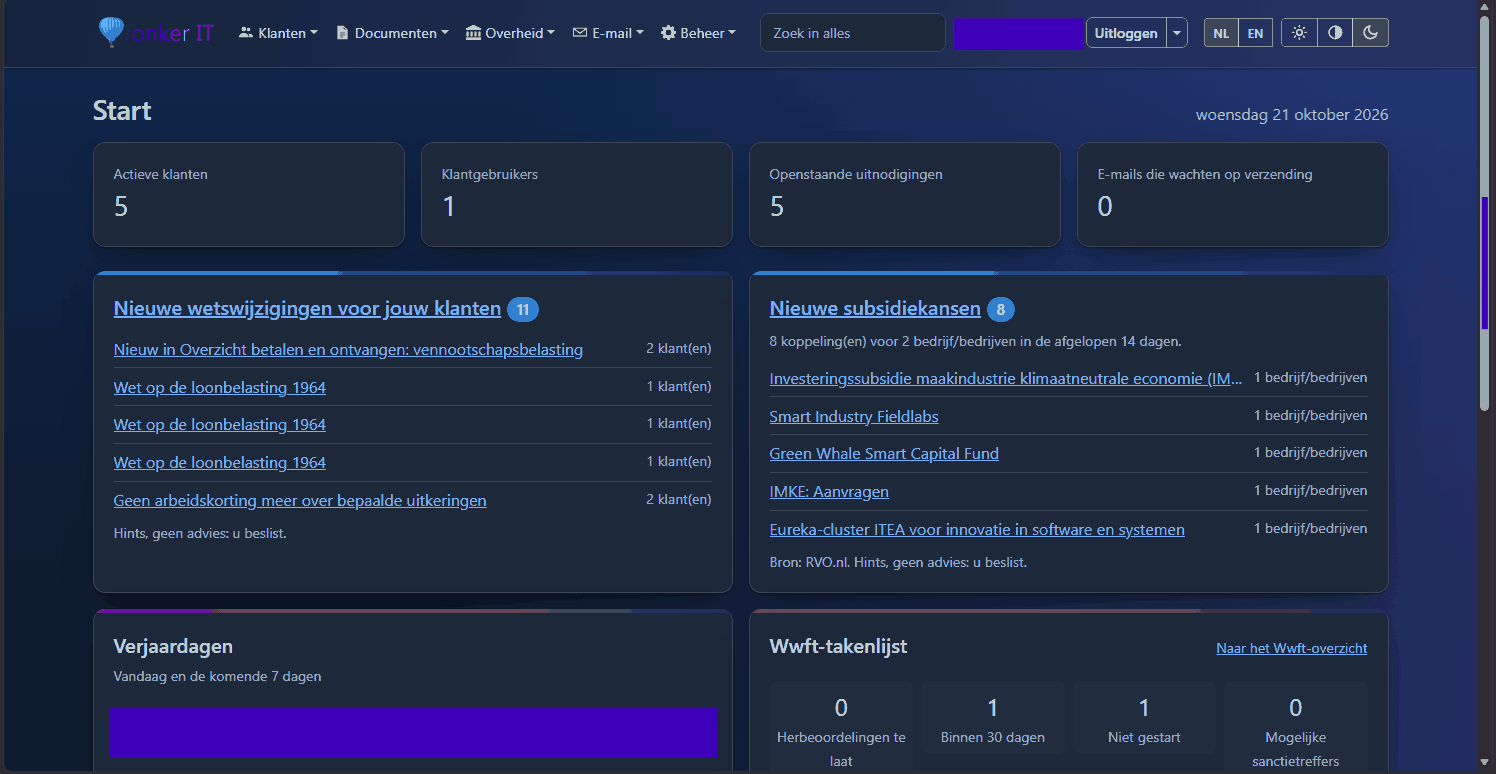 (Click to enlarge)
1What it is
A secure portal where your clients upload documents and complete their own details. It runs on your firm’s own Windows server and is reached at your own web address. Your firm does little; the client does most of it.
On your own server
- One installer; the portal runs as a Windows service on your firm’s own server.
- Reached at your own web address, behind a reverse proxy. Caddy is included.
In your own branding
- With your firm’s logo, colours and texts, on every screen and in every email.
- In Dutch and English, with a light and a dark theme.
Large files, no hassle
- Uploads up to 2 GB per file; an interrupted upload continues where it stopped.
- Import a ZIP file of up to 10 GB in one go.
- Photos are reduced in size automatically.
2All features at a glance
Click a topic for all the details.
Client onboarding
A new company from its KvK number; the client completes what is missing.
Read more →Companies and structures
Every Dutch legal form, with the rules of the law built in.
Read more →Wwft and AMLR
UBOs, ID checks, risk, sanctions lists and periodic reviews.
Read more →Document recognition
Reads and recognises documents, and learns from your firm.
Read more →Tax overview
Per year, with allowances, IACK, annual statements and WOZ.
Read more →Laws and subsidies
Law changes and RVO schemes that fit your clients.
Read more →Microsoft 365
A SharePoint folder per client, a shared mailbox, Microsoft sign-in.
Read more →Email and mailings
Automatic emails and mailings with a text per kind of client.
Read more →Signing
Clients sign in the portal; your firm seals the document.
Read more →Management and licence
Installation, hourly backups, moving, security page, manual and licence.
Read more →3Secure by design
- Invitation only. Nobody can create an account on their own.
- Two-step sign-in is mandatory for everyone.
- Optional: staff only via Microsoft 365 and management only from your own network or VPN.
- Every upload scanned with Microsoft Defender; infected files go to quarantine.
- Files are read in a locked-down helper process, separate from the portal.
- No BSN: the portal never asks for it and blacks it out for good on ID copies.
- Audit log, security alerts and encrypted backups.
- A "Security" page shows whether BitLocker, Defender, updates, backups and 2FA are in order.
4See it for yourself?
Would you like to see how the Customer Portal works for your firm? Request a demo and we will gladly show you.