 Jonker IT
Runner Tactical Chat is secure messaging, file sharing and tasking for teams that work without internet, without servers and often over slow radio links: defence units, emergency services, crisis teams and exercise staff.
 (Click to enlarge)
1What Runner is
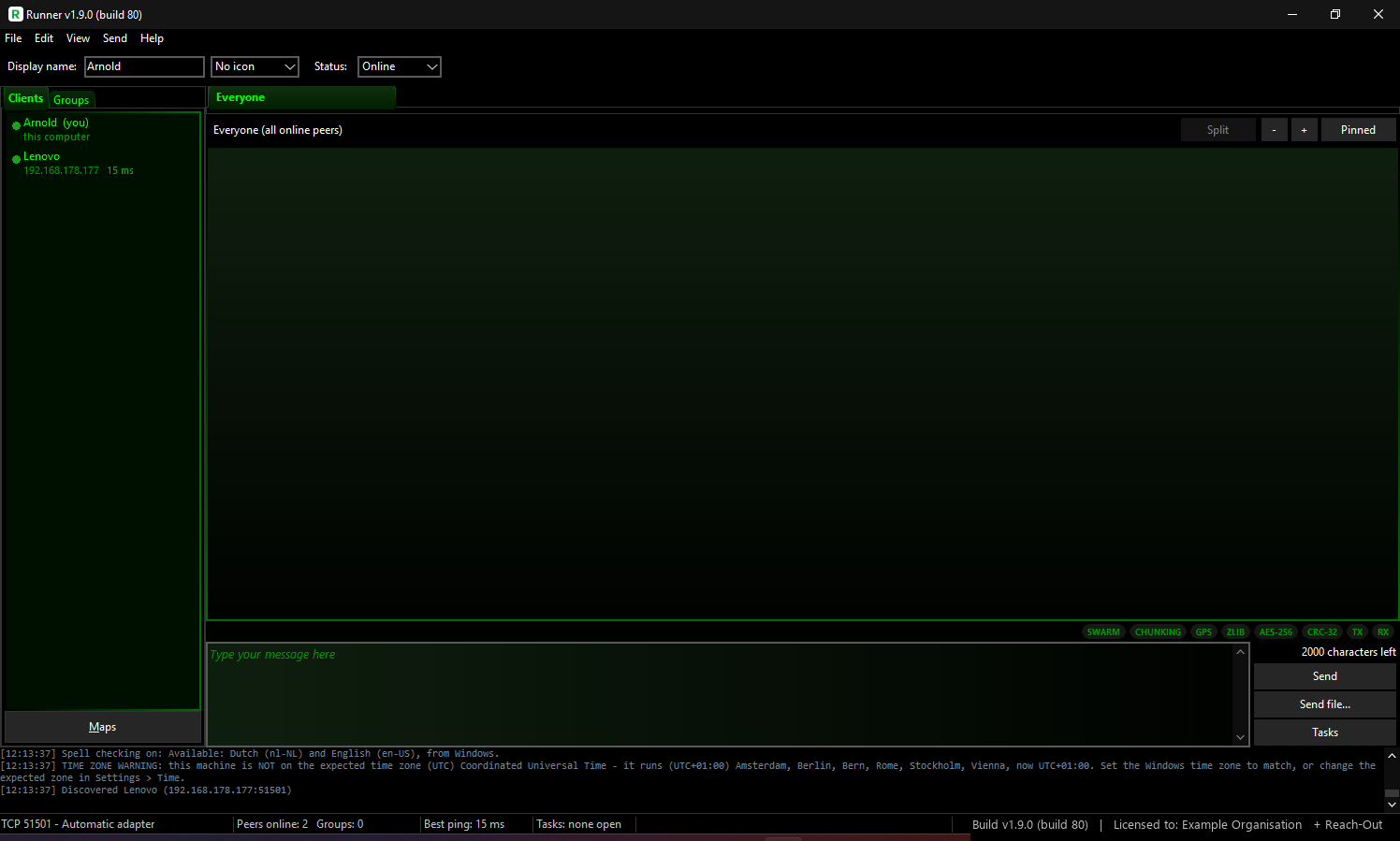
Every computer running Runner is a complete station. Stations find each other on the local network by themselves and talk directly to one another. There is no central server to install, maintain or lose.
Runner combines text chat, file transfer, shared files, tasks and map positions in one window, and protects all of it with end-to-end encryption and digital signatures.
2What it does
- Messages. Chat with everyone, with a group or with a single station, with replies, reactions, pinning and mentions.
- Files. Send a file directly, or share it with the whole network: every station helps to deliver it, so it spreads quickly also over slow links.
- Tasks. Give tasks with priority, deadline and typed items; every recipient answers individually, so you see who did what.
- Map and position. GPS, MGRS or latitude and longitude, with the live positions of the other stations.
- Works anywhere. On a gigabit switch and on a narrow-band radio link. The bandwidth Runner uses can be limited.
3New in Runner 1.9
Runner 1.9 is the most powerful Runner yet. It keeps working where other software gives up: when ports are taken or blocked, over slow radio and satellite, and on shared computers. Every clock on the network runs the same, every problem is found in minutes – and with the Reach-Out Module you help any station remotely, without an ID and without a server.
- Remote help with the Reach-Out Module. Watch any station’s screen or take over its mouse and keyboard – as smooth video, up to 60 frames a second, UAC prompts and the lock screen included. Optional, switched on with the right licence. All about Reach-Out →
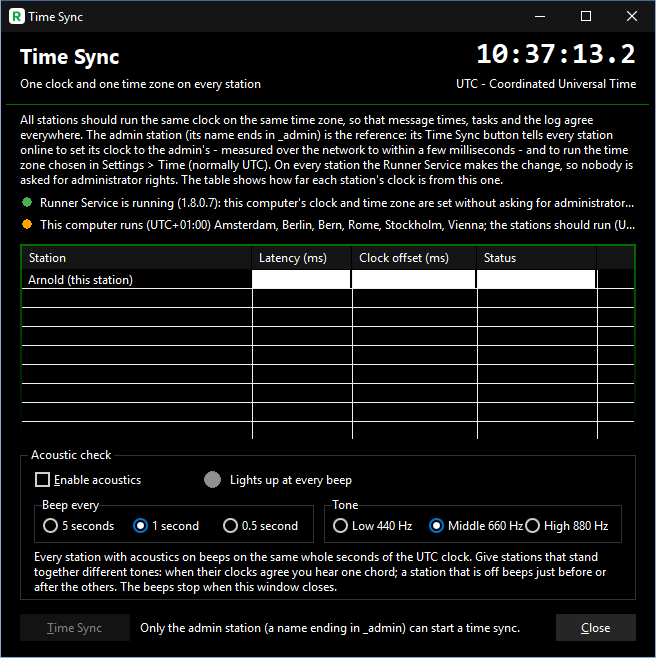
- One time for the whole network. With Time Sync the clock and time zone (UTC by default) of every station match the admin station – to within 20 milliseconds. The Runner Service does it in the background: operators need no administrator rights. And you can hear it: with the acoustic check every station beeps at exactly the same moment.
- Always finds a way. Another program taking or blocking Runner’s ports? Stations switch to a backup entrance on TCP 443 by themselves and fetch the station list straight from each other. Every unusual port is written to the log.
- Built-in network check. One click tests adapters, firewall, ports, discovery, passphrases, time and versions – and connects to every station online and back. A problem is found in minutes.
- Up to four networks at once. Work with several units at the same time, each with its own name, passphrase and room. The members of each network see only their own stations.
- Ready for Remote Desktop and terminal servers. Several operators on one computer, each with their own port; stations on the same computer are recognised and marked.
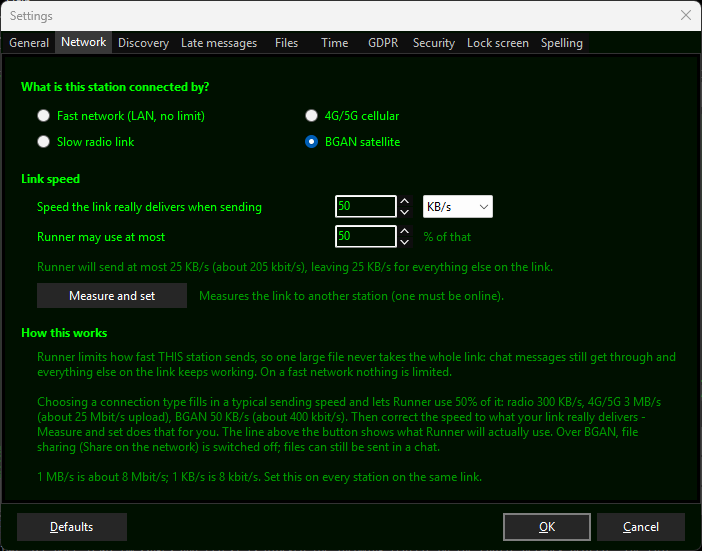
- Built for slow links. Choose fast network, slow radio, 4G/5G or BGAN satellite and Runner sets the right speed in one step, with smart limits for large files.
- Ports guaranteed free. The installer reserves Runner’s ports, so other programs, Hyper-V, WSL or Docker cannot take them.
- Spell checking in two languages. Dutch and English at the same time, with the Windows spell checker.
- Always in sight: versions. Every station announces its version; a different version stands out in the Clients list and is written to the log.
- Licences that say for whom. Organisation, department and a free line of text are in the signed licence and shown on every station.
- And much more. Runner’s own notifications in its colour scheme, a live log window, a turquoise colour style and command-line options for administrators, with a one-page overview.
 (Click to enlarge)
 (Click to enlarge)
4The Reach-Out Module (optional)
Help any station, wherever it is. The Reach-Out Module is an optional extension of Runner, switched on with the right licence. Watch another screen or, with permission, take over the mouse and keyboard – without an ID, without a server and without an extra program. Every station in the Clients list can help every other station.
 (Click to enlarge)
- Watch along or take over. Right-click a station: watch along, help (take control), or invite someone yourself to watch or to help.
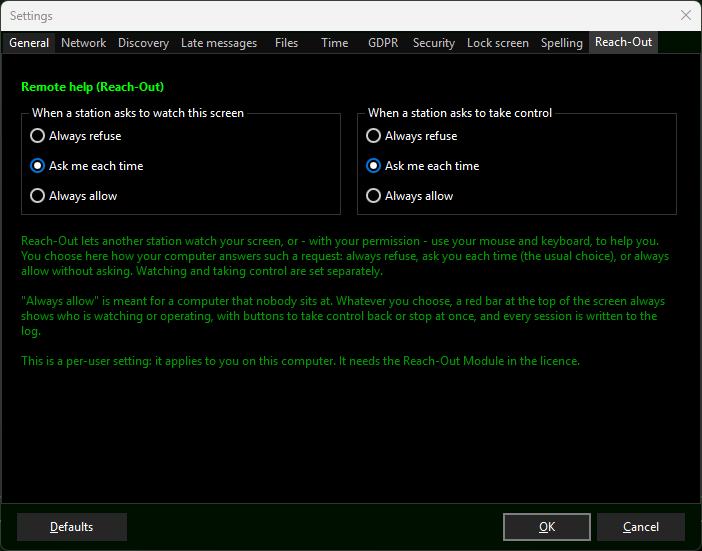
- The user decides. For every request the person at the screen chooses: allow control, view only or deny. A red bar at the top shows who is watching, with buttons to take control back or stop at once.
- UAC and the lock screen too. Through the Runner Service the helper also sees and operates UAC prompts, the lock screen, Ctrl+Alt+Del and programs running as administrator.
- Smooth picture. On a fast network as H.264 video through the graphics card: the picture starts at 30 frames a second and climbs smoothly to 60 as the machines and the link keep up. In greyscale if you wish, which leaves more room for crisp text on a slow link. Over 4G/5G from 2 Mbit/s as heavily compressed video; over radio and BGAN satellite Reach-Out is off.
- Handy while helping. Listen to the sound of the taken-over computer (either side can turn it on or off), clipboard both ways, a choice of screens, and sending files.
- Secure and manageable. End-to-end encrypted over the same connection as the messages and every session in the log of both stations. Each operator sets how their own computer answers – separately for watching and for taking control: never, ask each time, or always allow (for unattended computers) – under Settings › Reach-Out. A per-user setting, no administrator needed.
Without the module Runner works as always; the Reach-Out menu items are then grey, saying the module is not in the licence. See Licences.
5Secure down to the disk
- End-to-end encryption. Every transfer is protected with AES-256-GCM and signed with RSA-2048, with forward secrecy through ECDH P-256.
- Protected storage. An encrypted database, protected with the computer’s TPM chip where it has one.
- On the spot. A lock screen, an optional network passphrase so only your own stations see each other, and an emergency wipe.
- Nothing leaves the network. Runner needs no internet connection and keeps its data only on the computer itself.
6Requirements
| Item | Requirement |
|---|---|
| Operating system | Windows 10 or Windows 11 |
| Network | Any IP network: LAN, Wi-Fi or IP-capable radio. No internet needed. |
| Licence | A Runner licence for each computer, activated offline |
| Installed with Runner | The Runner Service (for Time Sync and Reach-Out) and the firewall rules and port reservation; installing needs an administrator once, using Runner does not |
| Optional | TPM chip (strongest protection of stored data); GPS receiver |
7Licences
Runner is intended for defence, emergency services, crisis teams and exercise staff. A licence covers the number of users active at the same time (stations), not the number of installations: install Runner on as many computers as you like – a licence for, say, 5 stations runs on up to 5 at once. Licences are issued on request.
Prices on request. Licences are tailored to your organisation and the number of stations. Request information for a quotation.
The Reach-Out Module is an extension of a Runner licence and is switched on in the same licence.
Runner made to measure. Missing a feature, or does Runner need to fit your own way of working, house style or systems? Runner can be adapted if you wish. Get in touch about the possibilities.
By downloading Runner you agree to the terms of use: use at your own risk. For Windows 10 and 11. Without a licence Runner starts and receives messages, but sending needs a licence: ask for it through Request information.
8Built for teams that cannot depend on the internet
When the network is a field radio, a satellite link or a closed LAN, ordinary chat apps stop working. Runner Tactical Chat is messaging without internet: it keeps your team connected wherever there is any IP network.
8.1Defence and exercises
Secure messaging for military units and exercise staff: chat, orders as tasks, files and live positions (GPS, MGRS) between command posts and vehicles, over tactical radio or a deployed network.
8.2Emergency services
Secure messaging for emergency services that keeps working when mobile networks are overloaded or down: fire, police, ambulance and rescue teams share messages, photos and tasks on site.
8.3Crisis teams
Secure messaging for crisis teams: a crisis room that does not depend on the cloud, the office network or the internet. Every recipient answers a task individually, so you see at a glance who has done what.
8.4Remote sites and closed networks
Ships, mining and energy sites, events and secure facilities: air-gapped messaging software for networks that are deliberately cut off, and for links as slow as BGAN satellite.
9Security at a glance
| Property | Runner Tactical Chat |
|---|---|
| Encryption | End-to-end, AES-256-GCM |
| Signatures | RSA-2048 |
| Forward secrecy | ECDH P-256 |
| Stored data | Encrypted database, protected by the TPM chip where available |
| Server | None: serverless secure chat, peer-to-peer |
| Internet / cloud | Not needed; nothing leaves your network |
| On site | Lock screen, network passphrase, emergency wipe |
10How Runner Tactical Chat compares
Popular messengers are built for the internet. Runner Tactical Chat is built for the places where the internet is not available or not allowed.
| Runner Tactical Chat | Cloud messengers (Teams, Signal, WhatsApp) | On-premises chat servers | |
|---|---|---|---|
| Needs internet | No | Yes | No |
| Needs a central server | No | Yes, the provider’s | Yes, your own |
| Single point of failure | None | Internet and provider | The server |
| Built for slow radio and satellite links | Yes | No | Usually not |
| Tasks and map positions built in | Yes | No | Varies |
11Frequently asked questions
Does Runner Tactical Chat work without internet?
Yes. Runner Tactical Chat is offline encrypted messaging: it needs no internet connection at all. Stations talk directly to each other over any IP network.
Is there a central server?
No. It is serverless secure chat. Every computer is a complete station; stations find each other on the local network. There is no server to install, maintain or lose.
Can it be used over a radio network?
Yes. Runner Tactical Chat works as secure chat over a radio network, and over 4G/5G and BGAN satellite. You pick the connection type and it sets a suitable speed; the bandwidth it uses can be limited.
Is it suitable for air-gapped networks?
Yes. As air-gapped messaging software it keeps everything inside your own network: no cloud, no internet, data stored only on the computers themselves.
How is it secured?
Messages and files are end-to-end encrypted with AES-256-GCM, signed with RSA-2048 and protected with forward secrecy (ECDH P-256). The local database is encrypted, using the TPM chip where available, with a lock screen and an emergency wipe.
Which systems does it run on?
It is a peer-to-peer encrypted messenger for Windows 10 and Windows 11, including Remote Desktop and terminal servers.
How is it licensed?
Per computer, activated offline with a licence file. Licences are issued on request; contact us for information.
Share this page with the short address www.runnertacticalchat.com