 Jonker IT
TenantSupport365 is the admin tool for IT partners who look after dozens of Microsoft 365 customers. All your customers in one list, one click from one customer to the next, in plain language. People, groups, passwords, MFA, licences and SharePoint: all in one place, without signing in to every admin center again.
 (Click to enlarge)
 (Click to enlarge)
1How it works
- Start TenantSupport365. The program runs on your own PC and opens in your browser, at your own company. Close it, and it really stops.
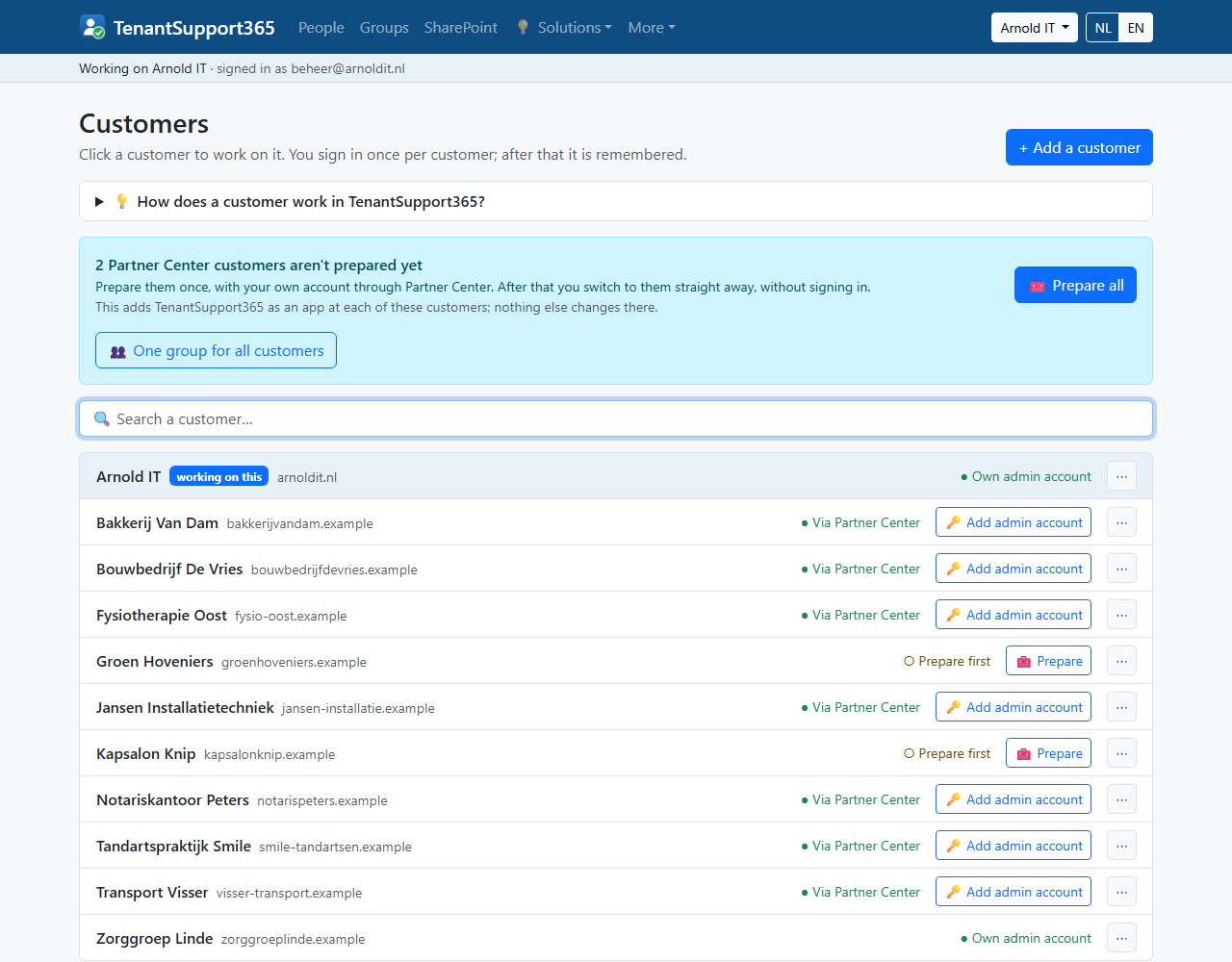
- Bring in your customers. As a Microsoft partner you fetch all your Partner Center customers at once. A single customer is added by typing just its e-mail domain.
- Prepare them all at once. One button gets TenantSupport365 ready at all your Partner Center customers. Missing a role? TenantSupport365 handles that too: one group with the right role at all your customers, with you in it.
- Choose a customer and get going. People, groups, licences, SharePoint and solutions for the problems you run into every week.
2What it does
People
- Create, edit, block and delete accounts.
- Reset passwords and MFA, signing the person out on every device.
- Assign and remove licences.
Groups
- Create and manage Microsoft 365 groups and security groups.
- Add and remove members and owners.
SharePoint access
- Who can get where: per site, library and folder.
- Give someone access to a library, or take it away again.
Compare two people
- “She can, he can’t”: licences, groups, roles and SharePoint rights side by side.
- The difference jumps right out.
Clean up SharePoint
- Finds the files with the most old versions in seconds, even on sites with a million files.
- Cleans up in one click: keep the newest versions, the rest goes to the recycle bin.
Add a customer
- Type the e-mail domain and TenantSupport365 finds the right Microsoft 365 environment.
- Or bring in all your Partner Center customers at once.
Licences and renewals
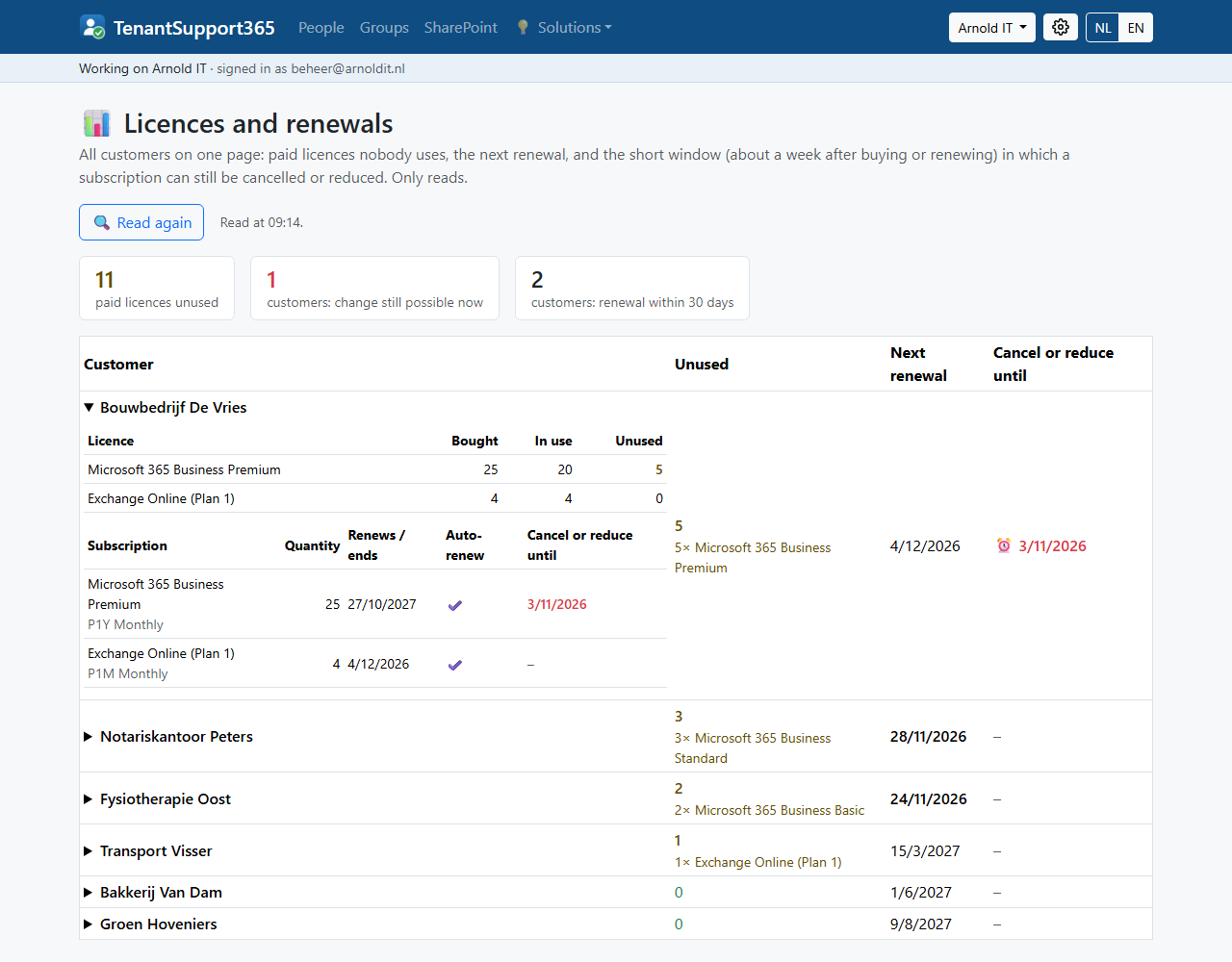
- All your customers on one page: paid licences nobody uses, and when each subscription renews.
- Spots the short window after buying or renewing in which an NCE subscription can still be cancelled or reduced. Never pay a year too much again.
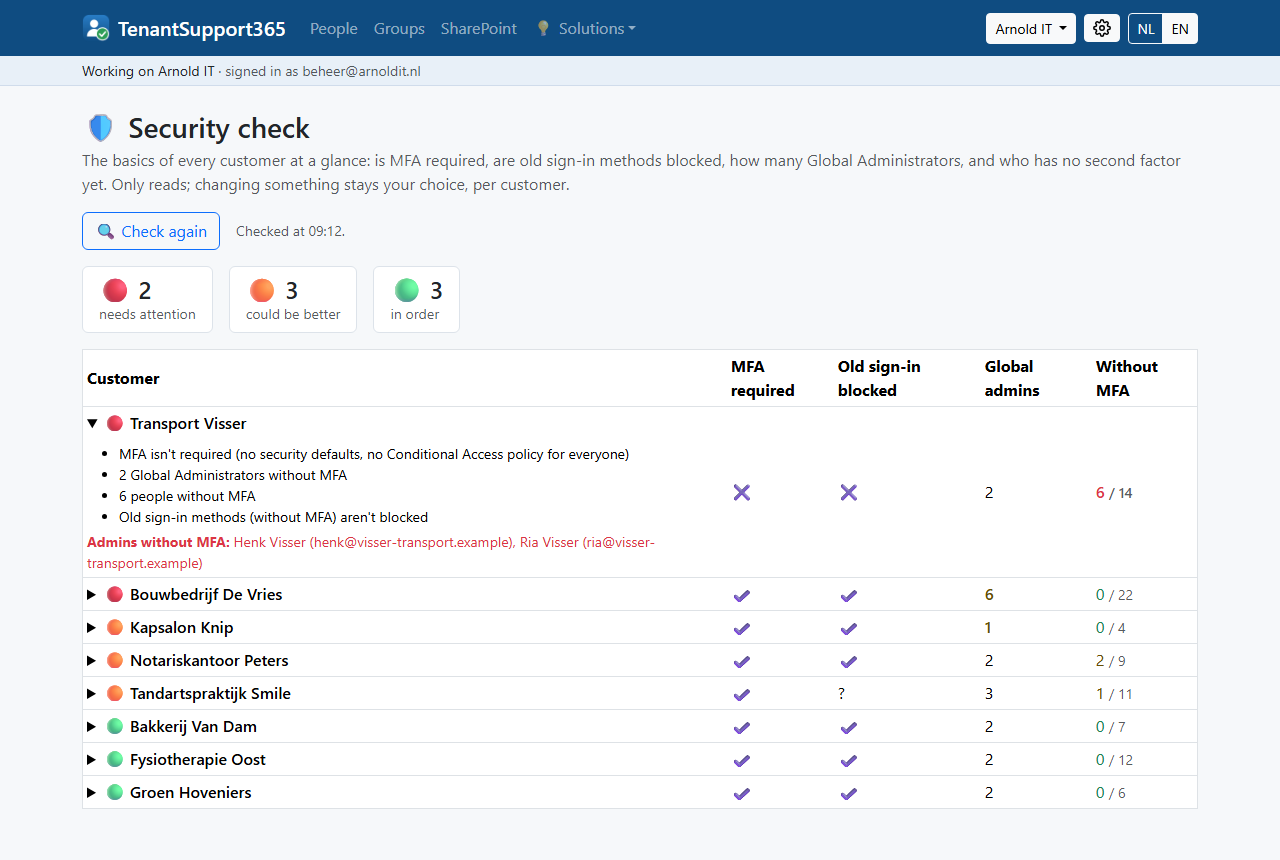
Security check
- Red, orange or green per customer: is MFA required, are old sign-in methods closed, how many Global Administrators.
- Who has no MFA yet, admins first. One overview of all your customers.
 (Click to enlarge)
 (Click to enlarge)
3Clean up SharePoint
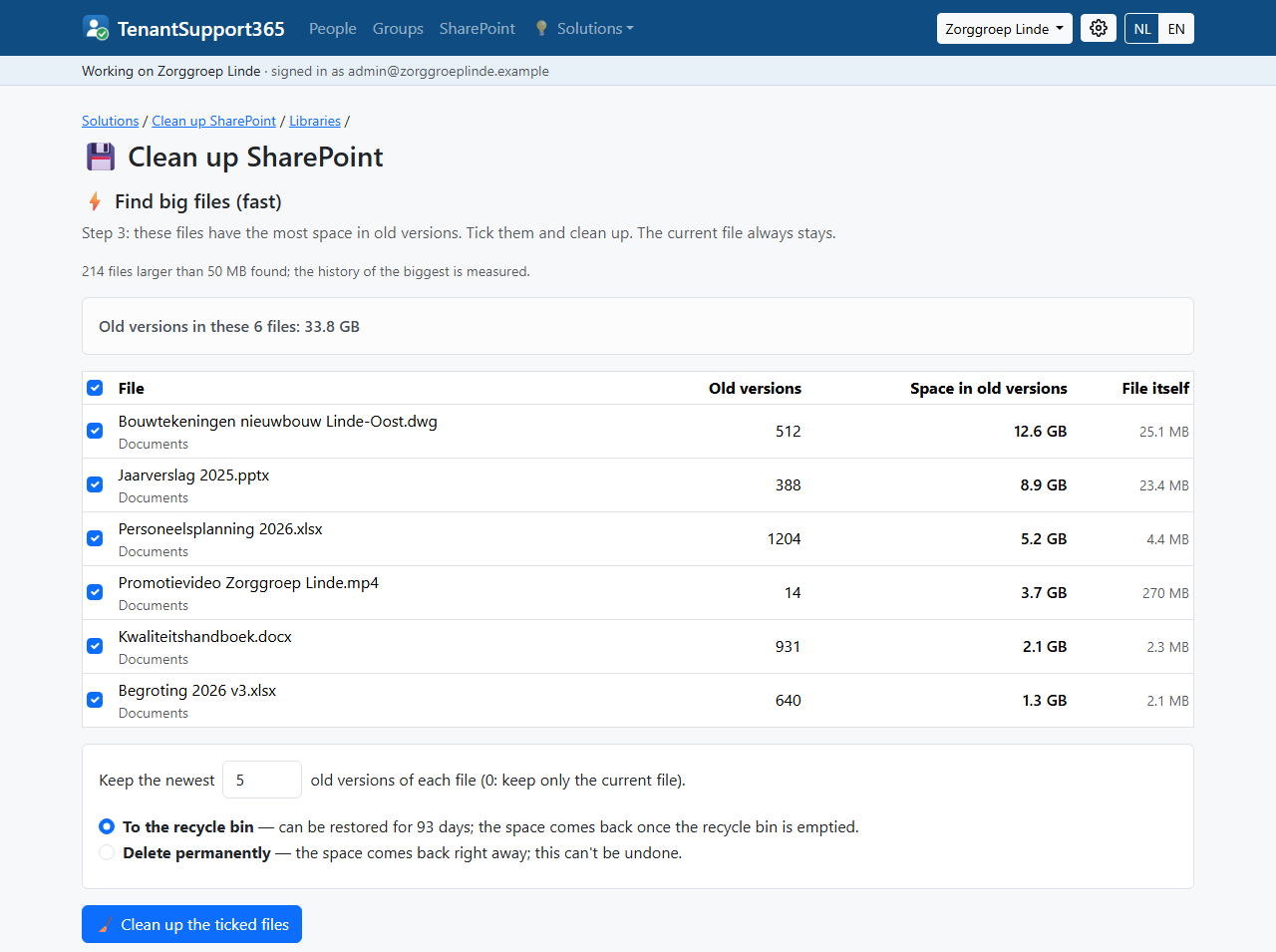
SharePoint keeps up to hundreds of old versions of every file. A drawing or presentation that is worked on every day quietly takes up gigabytes. TenantSupport365 finds those files and cleans them up neatly. At one customer that freed 33.8 GB in one go.
- Find big files fast. Through SharePoint’s search index, TenantSupport365 finds the biggest files of a whole site in seconds, then measures exactly how much space their history takes.
- You decide what stays. Keep the newest five versions, for example. The current file always stays.
- Clean up safely. Old versions go to the recycle bin and can be restored for 93 days. Deleting permanently is possible too, after an extra confirmation.
- With a progress bar and a Stop button. A big cleanup runs in the background, and you stop it whenever you like.
 (Click to enlarge)
4Made for Microsoft partners
Do you manage your customers through Partner Center (GDAP)? Then TenantSupport365 gets the most out of your partner access, without signing in per customer.
- All customers at once. Your Partner Center customers are in the list with one click, and one button prepares them all at the same time.
- GDAP in a few clicks. Customers without GDAP access stand out in the list right away. TenantSupport365 asks GDAP for all of them at once, without Global Administrator, so the access keeps extending itself. A ready-made e-mail with the approval link per customer, or approve it yourself in a private window of its own with the account already filled in. Once a customer approves, your default group gets the roles by itself.
- Never expired access again. TenantSupport365 warns well in time about GDAP relationships that run out and renews them in one click, without Global Administrator. The old one keeps working until the customer approved.
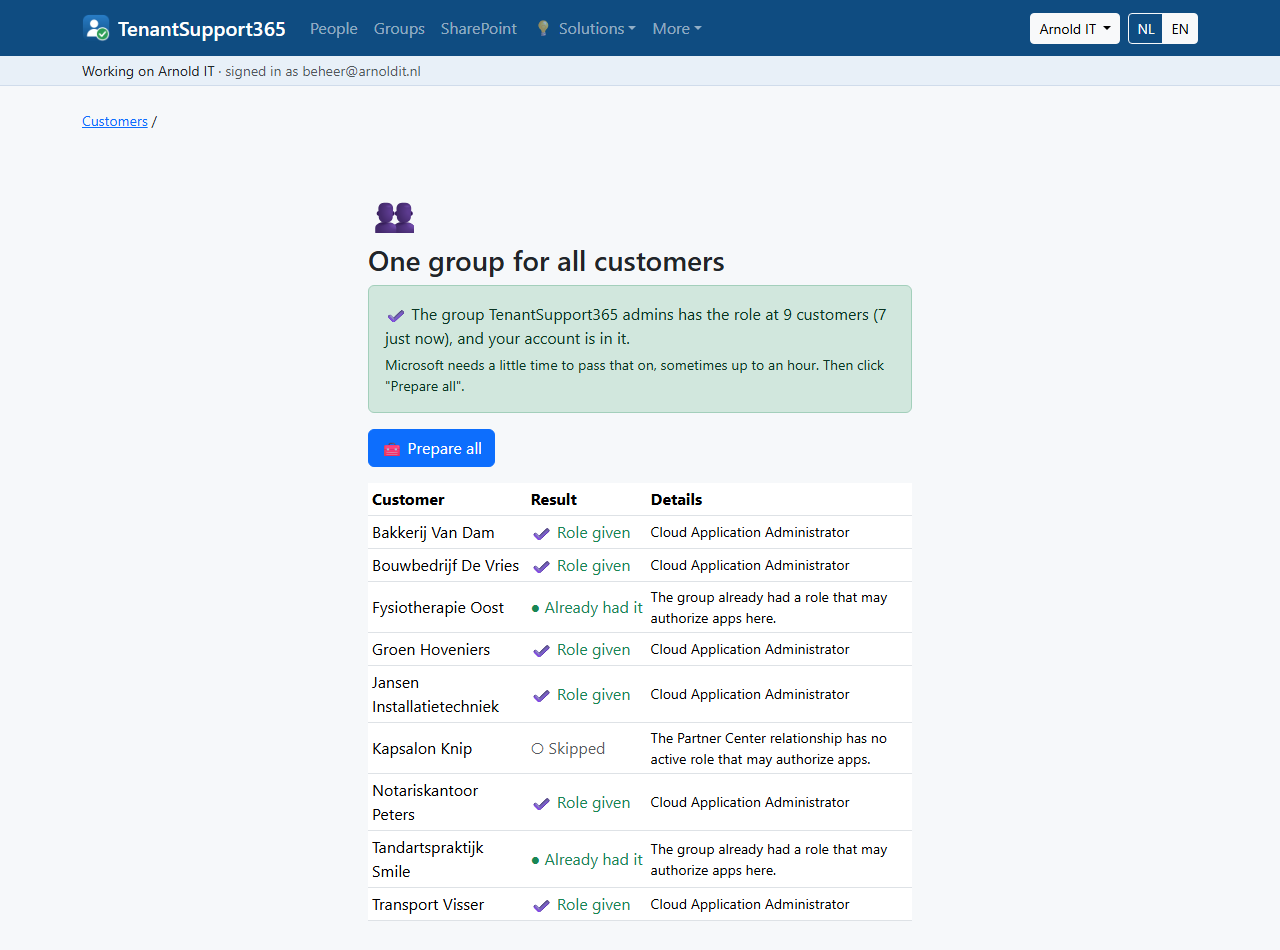
- One group for all customers. If your account lacks the right role at a customer, TenantSupport365 gives one security group the lightest role needed, at all your customers at once, and puts you in that group. With a progress bar, a Stop button and a result per customer.
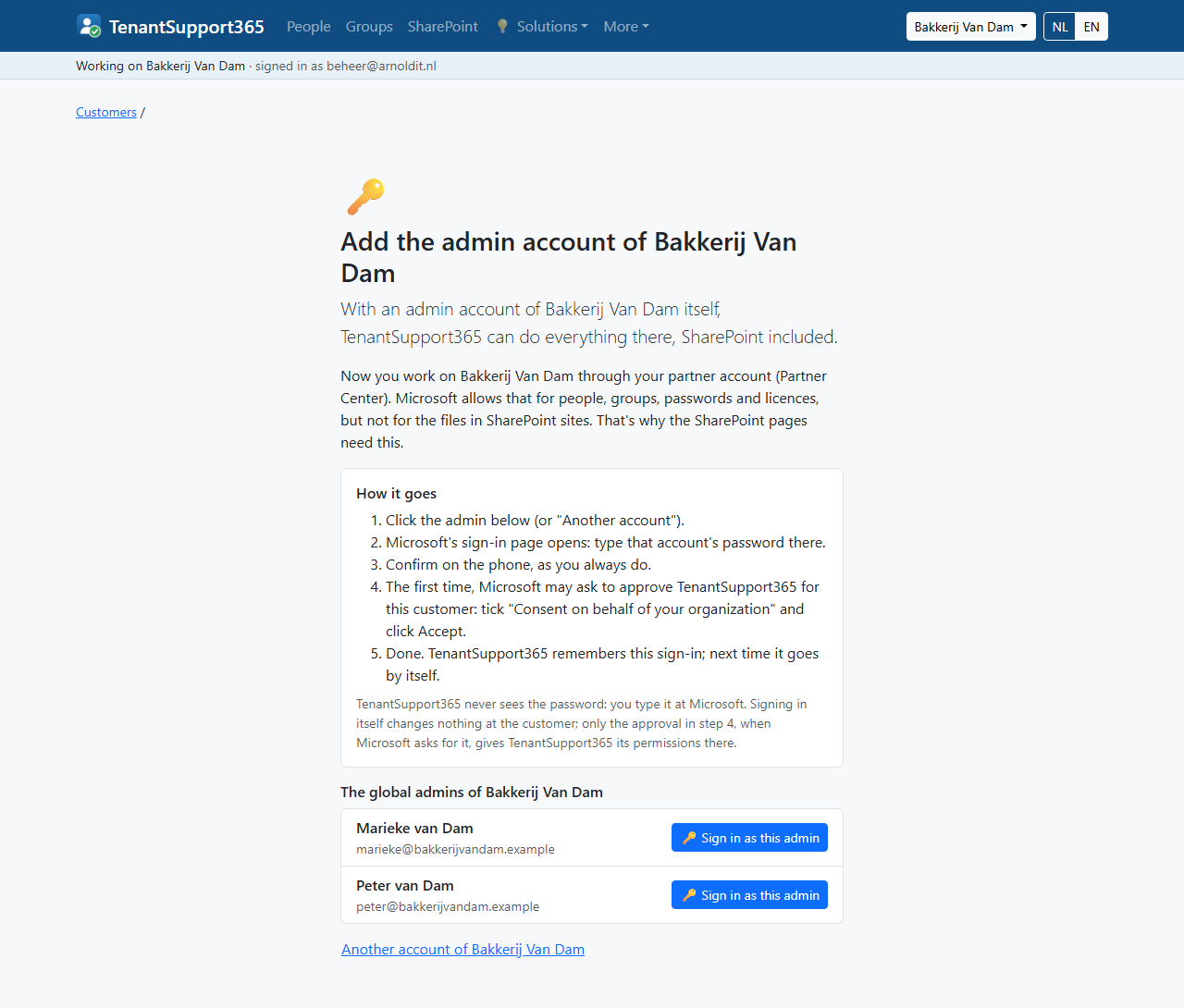
- SharePoint too. Microsoft doesn’t let partner accounts into the files in SharePoint. TenantSupport365 then looks up the customer’s global admins for you, so you sign in as one of them with one click. After that, everything works.
- Only on your side. Groups, roles and requests are arranged in your own tenant and your own Partner Center. Nothing changes at the customer without the customer’s approval.
 (Click to enlarge)
5Secure and transparent
- Nothing without your yes. Every change asks for confirmation first. Nothing is ever changed automatically at a customer.
- Everything in the audit log. When, at which customer, with which account and what changed.
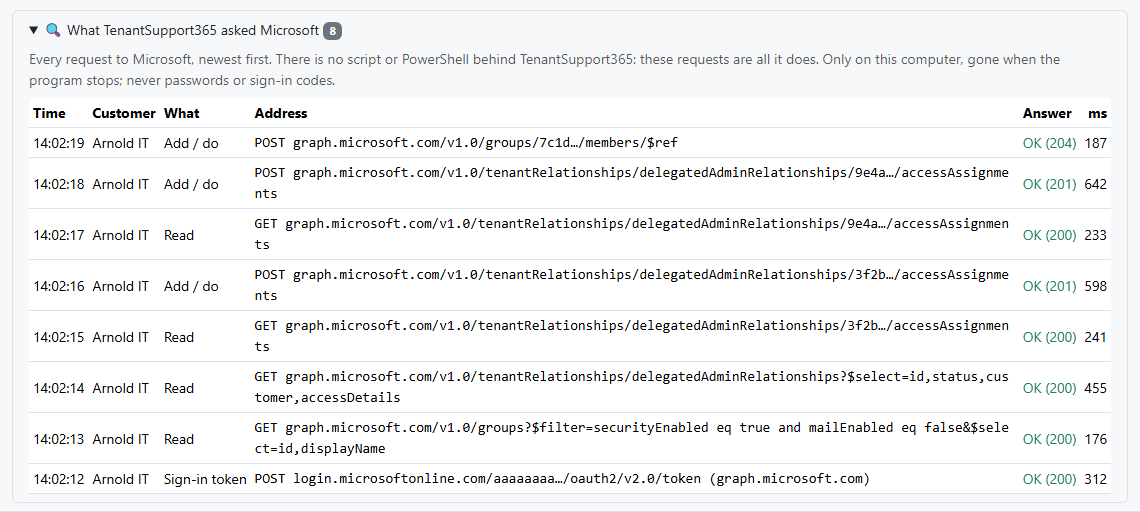
- You see every request to Microsoft. At the bottom of every page you see what TenantSupport365 asked Microsoft and what Microsoft answered. There is no script or PowerShell behind it: what you see is everything it does.
- Passwords stay with Microsoft. You sign in on Microsoft’s own page, with MFA. TenantSupport365 never sees a password.
- Only on your own PC. Sign-ins are stored encrypted, for your Windows account only. No data is sent to us.
- To a new PC without signing in again. One backup file with all your customers and sign-ins, locked with your own password. Restore it, and you carry on straight away.
 (Click to enlarge)
6System requirements
| Part | Requirement |
|---|---|
| Operating system | Windows 10 or 11, on Intel/AMD (x64) or ARM |
| Microsoft 365 | An admin account per customer, or Partner Center with GDAP access to your customers |
| Partner Center | The Admin Agent role, to prepare customers all at once |
| Installation | One setup program. Runs only when you start it; no service, no server |
| Language | English and Dutch, switched with one click |
7Download
- For Windows 10 and 11. Choose the version for your PC: Intel or AMD (x64, most PCs), or ARM (for example a Surface or a Copilot+ PC).
- A warning from Windows? With a new program, Windows SmartScreen may warn you. Then choose More info and Run anyway.
- Version 0.9.3. After installing, open TenantSupport365 through its icon next to the clock.
By downloading you agree to the terms of use: use at your own risk.